
Module Settings
In the Calculations module you can send invoices and reconciliation of accounts at the email address of the paying company accountant. To enable this option, specify the mailbox, from which the emails will be sent. To do this, open the module configuration page by clicking  Settings.
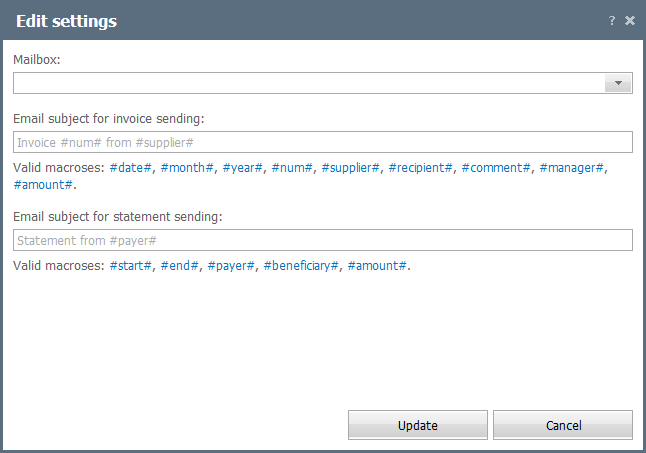
The configuration form contains the following fields:
- Mailbox — select a mailbox.
- Email subject for invoice sending — enter here text that will be used as the email subject when you send invoices. You can use the following macros:
- #date# —date of the invoice.
- #month# — month.
- #year# — year.
- #num# — number.
- #supplier# — supplier specified in the invoice.
- #recipient# — recipient specified in the invoice.
- #comment# — a comment.
- #manager# — manager.
- #amount# — sum total.
- Email subject for statement sending — enter here text that will be used as the email subject when you send statements. You can use the following macros:
- #start# — start date of reconciliation.
- #end# — end date.
- #payer# — payer.
- #beneficiary# — beneficiary.
- #amount# — amount to pay.
← Fields Names
Widgets →
|