
- Welcome
- Home
- Tasks
- Documents
- Service Desk
- Chat
- Organizations
- Contacts
- Board
- Team
- Products
- Accounting
- E-Bank
- Search
- Calendar
- Managing Calendars
- Administration
- CalDAV
- Managing Events
- Event Settings
- Import
- Permissions
- Reports
- Calendar Types
- Representation of Events
- Viewing Events
- Events Widget
- Telephony
- Administration
- Projects
Import
The feature of importing of events from *.ics files is implemented in the Calendar module. iCalendar is a file format for storing calendars of events. This format is used supported by a large number of popular applications, including Google Calendar, Apple iCal, Microsoft Outlook, Mozilla Thunderbird and others. There are several ways to import events:
From an Attached File
If you put the mouse cursor over a *.ics file attached to a message or a comment in one of the modules of the system, the  button appears to the right. Click it to import events.
Events from an attached file are imported to the personal calendar. |
From a Viewed File
The embedded viewer of *.ics calendar files allows importing events using the button on its lower panel. The list of calendars available for the user is opened, as soon as this button is pressed.
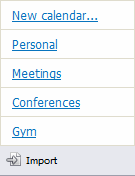
Events can be imported to a new or to an existing calendar.
Using the Import Function
To start importing events, click the Import button at the top part or the Calendar tab. The following window is opened:
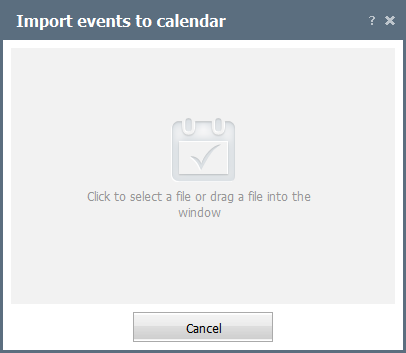
At this step, specify a *.ics file from which you need to import events. To do it, click anywhere in the window.
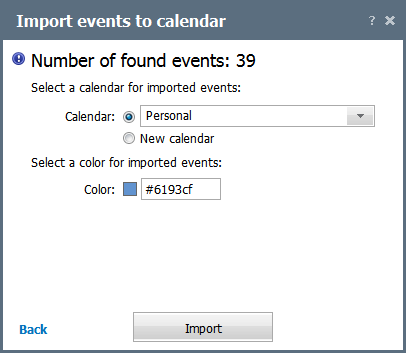
Once a file is selected, you can set the import options:
- Calendar — in this field, choose a calendar, to which events are to be imported. You can select one of the existing calendars or create a new one.
- Color — click on the colored square to select a color for the imported events.
To complete the import, click the Import button. To the right of its name you can see the number of events that will be imported.