
Reports
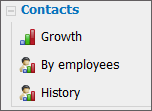
The feature of viewing reports by the statistics of adding contacts to the system and by the number of contacts of organizations is implemented in the "Contacts" module. To view them, one should press the "Reports" button located in the top part of the tab. After that the list of available reports will appear instead of the filters to the left.
|
Growth
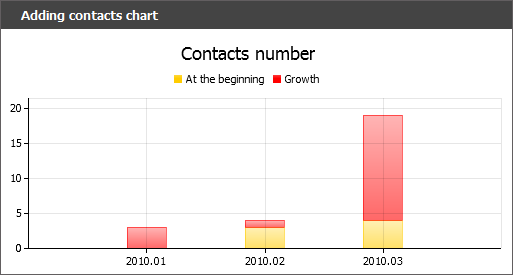
This report represents a diagram of growth of contacts. Red bars display the number of contacts added within the current period, and the yellow ones represent the previous period. If you put the mouse cursor over a bar, the pop-up help containing the number of contacts will appear.
The diagram can be scaled by one of the types of bars. To do so, it is enough to click with the left mouse button on one of them.
By Employees
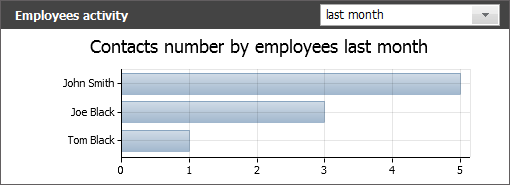
This report displays the number of contacts created by each employee for a selected period. In order to select a period, one should press the  button located in the upper right corner of the report. In the opened menu select one of the predefined periods. By selecting the "period..." entry, one can set a custom period. At that two additional fields will appear, there you should specify own dates using the interactive calendar that is opened by pressing the
  button.
History
This report displays the activity of adding comments to the history of contacts by users of the system:
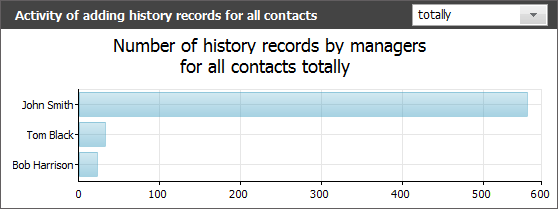
A pop up help containing the number of comments added by a selected user is shown you put the mouse cursor over a bar of the diagram.
In the upper part of the report you can also choose a period for forming it.