
- Welcome
- Home
- Tasks
- Documents
- Assigned
- Delete Mailbox
- Filters
- Email List
- Create/Edit Mailbox
- Create Mail
- Permissions
- Reply/Forward
- Reports
- Service
- Working with Spam
- View Mail
- E-Mail Widgets
- Service Desk
- Chat
- Organizations
- Contacts
- Board
- Team
- Products
- Accounting
- E-Bank
- Search
- Calendar
- Telephony
- Administration
- Projects
Working with Spam
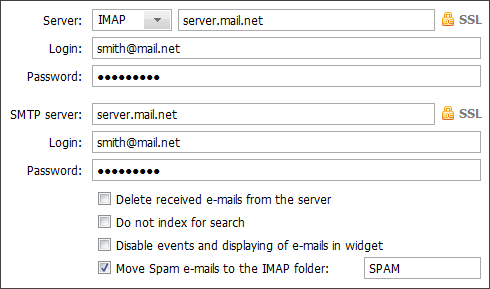
The feature of working with spam is implemented in the TeamWox system. TeamWox allows to move any mails to the "Spam" folder from which they will be sent to the mail server for the spam autotraining. This function works only through the IMAP protocol. So, if the mailbox works through the POP3, then the "Spam" folder will function like another "Trash" folder. When working through the IMAP protocol the "Move spam messages to the specific IMAP folder" field should also be ticked and the corresponding folder should be specified.
The IMAP folder is specially created at the mail server to place the spam messages in it. You should ascertain its name from your system administrator. |
In order to send the message to spam you should move it from the list to that folder using Drag'n'Drop, or press the  button that appears if you put the mouse cursor over the message in the list, or press the "Spam" button when viewing the message.
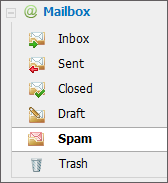
E-mails that are automatically or manually assigned to organizations are not sent to the mail server from the "Spam" folder.
It is strongly recommended to move e-mails to the "Spam" folder with a special care. Once the mail is sent to the mail server, it will be impossible to remove it from the spam filter through the "TeamWox" system. E-mails from the "Spam" folder are sent to the mail server in one day after they are received. |