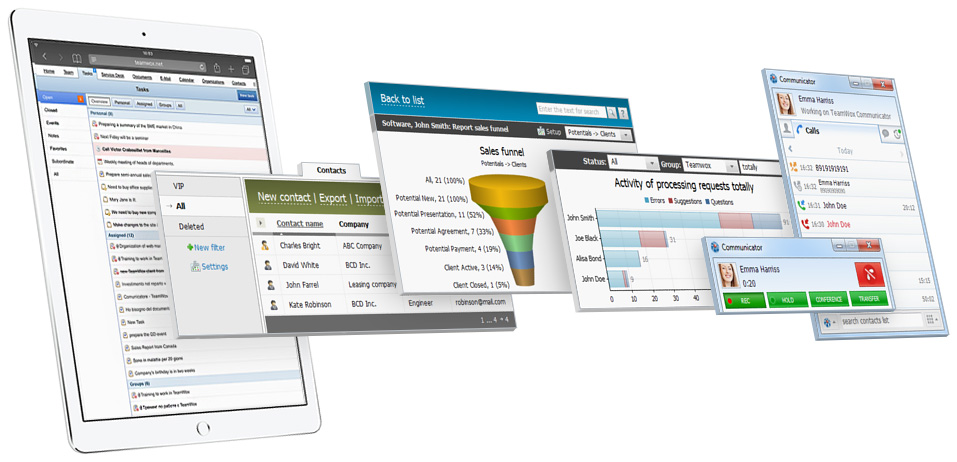
Download TeamWox Collaboration Software
Download the TeamWox Collaboration Software and use it to manage your business!
In addition, this section contains additional applications for working with the system.
You can also view TeamWox Demo or get a free SaaS version for 2 months to try all the product features.
Install TeamWox Collaboration Software to test it in your business. You can create TeamWox accounts for all your employees, and transfer your corporate activities to the groupware. This will help you assess the TeamWox Business Software capabilities and its benefits for your specific company.
The procedure of TeamWox Groupware installation and integration is quite simple. However, if you have any difficulties, read the detailed instruction on TeamWox Groupware installation or contact our partners that will help you to install the collaboration software. To install TeamWox Business Management Software, you will need to allocate a domain name, where the system will be hosted. Your employees will use this address to enter TeamWox Groupware.
Expressly for you we have prepared the TeamWox Implementation Guide and the Brief Training Course. Using this materials will even more simplify the process of arranging the work in TeamWox Collaboration System at your company.
- MS Windows 2003, 2008, Vista, Seven
- 2 GHz Pentium 4 or higher
- 1 GB RAM or higher
TeamWox Communicator is a Windows application that can also notify of updates in task manager, new requests in service desk, emails and documents. It allows you to stay notified even with your Web browser closed.
The main function of the SaaS Agent is the management of multiple installed versions of TeamWox Groupware delivered to the customers in the SaaS mode. First of all this is a tool for Internet providers and our partners who distribute TeamWox as SaaS.
The TeamWox SaaS Agent allows you to quickly and easily install new copies of the Groupware, remotely start and stop servers, and monitor their status. SaaS Agent also automatically registers domains on the DNS server, installs SSL certificates and performs other functions.
- MS Windows XP SP2, 2003, 2008, Vista, Seven
- 2 GHz Pentium 4 or higher
- 1 GB RAM per one TeamWox installation
For manage the SaaS-versions of TeamWox Groupware installed on your hardware the web-interface is used. It can be accessed, using any modern browser: IE 8+, FireFox 3.5+, Safari 4+ or Chrome 3+.
Commercial Version
You can buy the commercial version of TeamWox Collaboration Software right on this website, choosing the most convenient payment method. In this case, together with the Business Management Software you obtain one year of a free subscription to it.