
The popularity of the Online Assistant (TeamWox Online Chat) among our clients is increasing daily. The number of requests via this helpdesk keeps growing, and from the date of its launch (November, 2009) above 3 000 clients' requests have been processed. Currently above 20 companies per day are contacting our Customer Support Service via the Online Assistant.
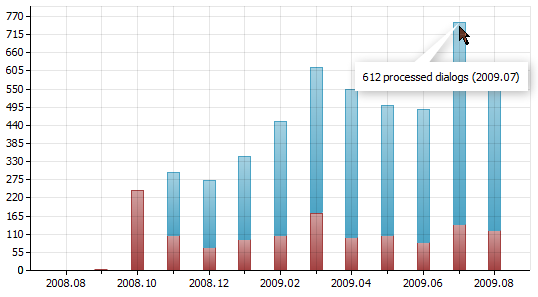
The groupware helpdesk is an online chat for sending messages from the website and receiving them directly in the TeamWox collaboration system. All the messages are encrypted, so any confidential information (passwords, financial data, etc.) can be transmitted via this online chat - you can be sure that thе communication is absolutely safe. Moreover, this information is automatically saved in the history of your communications with a customer or organization in TeamWox collaboration system. Later you'll face no difficulties searching for this information and refreshing the discussion details. The Teamwox helpdesk software is probably the quickest and easiest way to help your customers.
The installation of the Online Customer Support Chat is as easy as its usage. All you need to do is download ready files and locate them on your website. In case you have any difficulties, please refer to the TeamWox Groupware Help. After it is installed, your customers will be able to enter the Customer Support Chat page and send their questions.
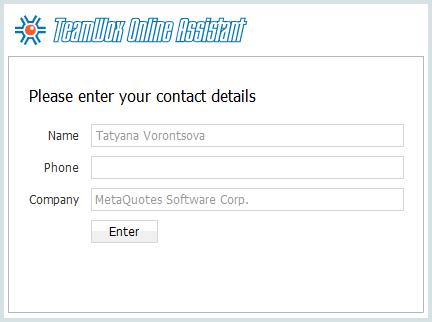
How it works?
Your customer enters the helpdesk page, fills out the form and
presses the "Enter" button. The request is then sent to TeamWox collaboration system, and if
at least one responsible employee at his/her workplace, the chat
starts. The client can ask questions, your specialist can quickly help,
and the discussion archive is saved in TeamWox business management software.
TeamWox groupware allows to flexibly set up customer support chat access rights for a certain
employee or group. Moreover, from the website a client can select
groups he/she would like to address a question to. For example, if
the technical problems occur, a customer would like to contact the
technical support, while account problems would be addressed to
your company's financial service. This division into groups is very
useful if you have branches in different countries and a multi-lingual
website. With these functions available, a customer will be addressed
directly to a necessary employee who can answer in the clients native
language.
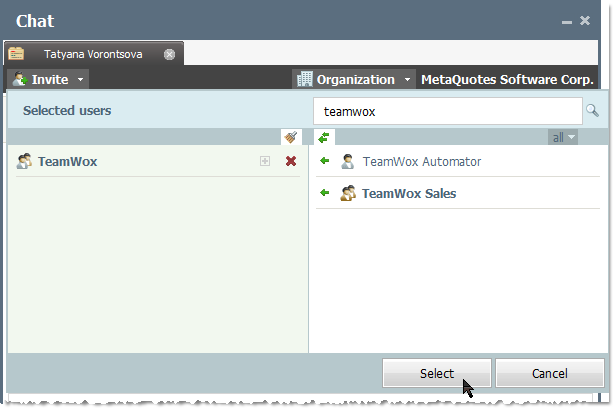
To provide the processing of all requests, several discussions can be conducted in TeamWox groupware and several customers can be serviced at the same time. Should you need the help of other specialists, you can invite them to the online customer support chat at any moment and help to solve the problem jointly:
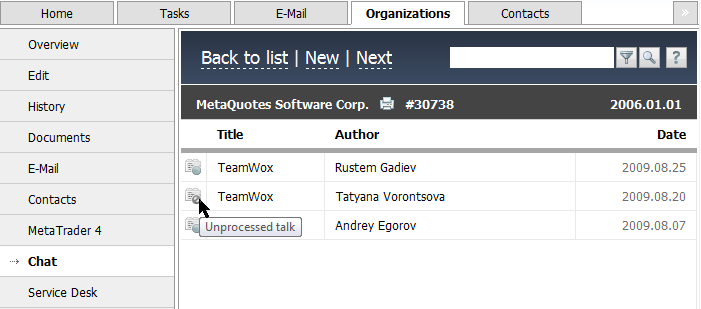
The whole history of your communications is stored in TeamWox business management software. Anytime you need, you can find the correspondence with a customer and see who was talking to the client. This information can be used both for accumulating the knowledge base and for teaching your employees:
The Online Assistant is one of the most convenient ways to organize the Customer Support Service. With its functions you can achieve the order in your communications with customers, can control your employees' work and can always read the history of all online chats. The Online Assistant is the way to organize the servicing of your customers at a much higher level!
Related articles:
- Setting Up Customer Support Service with TeamWox Live Chat (Online Assistant)
- Description of TeamWox Groupware (Collaboration Software)
- TeamWox Collaboration System as a One-Stop Business Information Storage
- Benefits of TeamWox Collaboration Software for Managers
- Task Manager (Tasks) in TeamWox Collaboration System
- Built-In Graphic Tools in TeamWox Collaboration Software
- Electronic Document Management (Docflow) in the TeamWox Groupware System
- Customer Relationship Management (CRM) in TeamWox Groupware
- TeamWox Service Desk (Helpdesk): Customer Support Made Easy!
- Financial Modules (Moneyflow) in TeamWox Business Management Software
- Business Reports in TeamWox Collaboration Software
- TeamWox Help
- Terms of delivery of the TeamWox Collaboration Software
- Reviews and Feedback
2009.09.30