
Widgets
Widget is a graphical element of user interface, which performs some functions. You can install widgets through the "Home" tab in TeamWox. They are intended for monitoring actual information and facilitating the navigation between the frequently used modules. They provide the access to the information by redirecting you to the corresponding modules. By default, widgets are hidden. In order to see the available widgets, you should press on the strip framed with the up-arrows on its edges. This strip is located in the lower part of the Home tab:
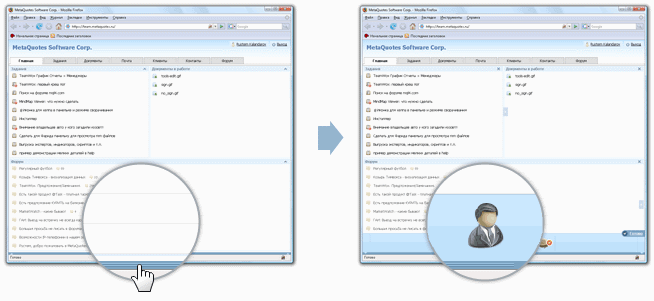
The following widgets are available at present:
- Tasks
- Favorite Tasks
- Documents In Hand
- Board
- Organizations
- Last E-mails
- Assigned E-mails
- Links
- External Source
- Phone Book
- Service Desk
Each widget above is described in the corresponding module sections in the help file. In order to fix the widget on the "Home" tab, you should press the left button of your mouse and pull it hold over to necessary part of the tab (Drag'n'Drop). The places available for fixing of the widget in the "Home" tab are framed with orange dotted lines.
The selected widget is marked with the  icon, as it is shown in the screenshot below.
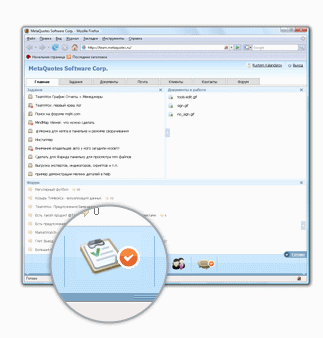
You can also change widget size. In order to do it, you should open the window of choosing widgets as described above. The  button appears to the right of each fixed widget, as soon as you open the window. The widget size will be increased, as soon as you press it. A similar button with a reversed arrow will also appear near it. You can decrease the widget size by pressing it:
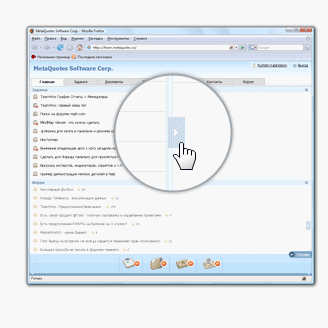
The same buttons also appear at the bottom of the windows. They are intended for vertical scaling of the widgets.
You can remove a widget from the "Home" tab by clicking button  that appears in the header of each installed widget while the choosing block is opened:
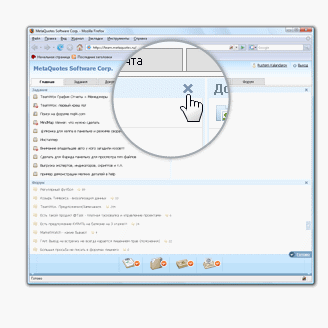
An automatic installing of a widget set is implemented for quick adjusting of widgets. In order to do it you should press the "Widget Presets" button located at the lower panel:
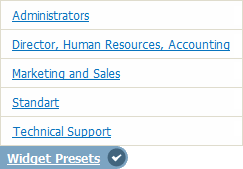
Then you should choose one of the presets in the appeared list. Widget presets can be created by the administrator of the system.
← Home
Links Widget →
|