
List of Orders and Payments
Lists of orders and payments can be viewed separately or together in corresponding tabs in book viewing mode.
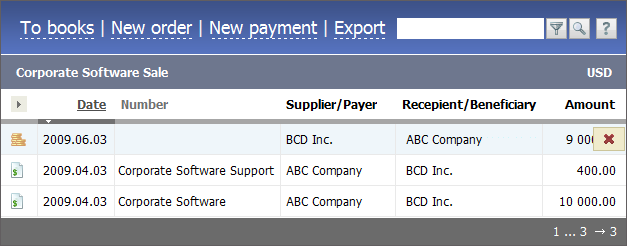
Payments are marked by the  icon, orders are marked by the
  icon. Orders and payments can be unpassed and be marked by
  and
and  . Such documents are not included into generated reports.
Click on a date or icon in the list to edit a payment or an invoice. When pointing a mouse cursor over the line, the  button appears; it is used to delete a payment or order.
Several buttons are located in the upper part. Using the "To books" button one can return to the viewing of the list of books. By clicking "New order" or "New payment" one can move to creation of a corresponding document. Using the "Export" button one can export the orders and payments as a HTML file. Click on the Reports button to view the Income/Expenditure report.
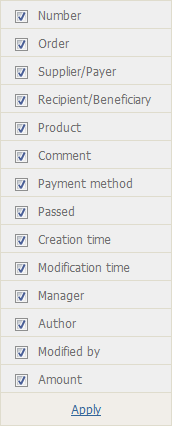
The list of documents can be adjusted. Using the  button located above the column with document icons, one can select columns to be displayed in the list. Click on it to see the menu of available fields:
|
|
 icon is displayed in this field, the order or payment is considered
 The list of documents can be sorted by the following fields: "Date", "Number", "Passed", "Creation time" and "Modification time". To apply the sorting, click on the heading of the corresponding column.