- Welcome
- Home
- Tasks
- Documents
- Service Desk
- Chat
- Organizations
- Reports
- Add/Edit
- Autobinding
- Delete/Restore
- Export of Organizations
- Filters
- Import of Organizations
- List
- Module Settings
- Permissions
- Settings
- View
- Organizations Widget
- Contacts
- Board
- Team
- Products
- Accounting
- E-Bank
- Search
- Calendar
- Telephony
- Administration
- Projects
List of Organizations
All the organizations registered in TeamWox are displayed in the form of a list.
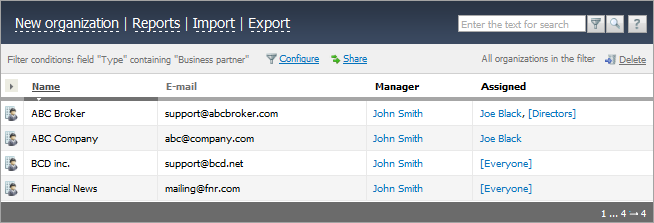
One page can contain up to 20 organization entries. If this number is exceeded, the line of switching between pages appears at the end of the page, as shown in the screenshot below. The current page number is shown on a white background. This line contains the page order numbers, the first and the last entry numbers, and the total amount of entries in the list.

For you convenience, the options of list sorting and of choosing the columns to be displayed in the list are provided.
Function Buttons
The following buttons are available on all tabs of organization filters:
- New organization — open a page for adding a new organization. This button is not available on the "Deleted" tab.
- Reports — view organization reports.
- Import — import of organizations.
- Export — export of organizations.
Above the list of custom filters the current filter conditions and the following buttons are shown:
 — open filter conditions editing page.
 — copy a filter link.
 Delete — remove all organizations from the current filter.
Share Filter
You can share your filter with other system users. To do this, click .
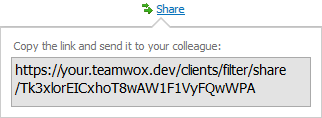
In the window that appears, copy the link and send it to your colleague.
By opening the link a user gos to the filter editing window, where the settings of the filter and its author are specified.
Group Operations
In all filter, except the filter "Deleted", group operations are possible.
If you select one or more line in the list, button  Change will appear above the table. Click it to open a window, where you can specify the field to change and its value.
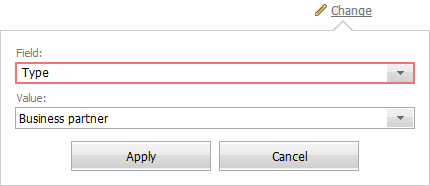
After you click "Apply", the specified value of the selected field will be used for all selected organizations. To close the edit window without saving changes, click "Cancel".
The effect of the Delete button will change and it will delete only selected organizations.
The number of selected organizations is shown on the left of the |
Search by Filter
There is a possibility of temporary filtering the organizations without creating a permanent filter. To do it, you should type the necessary combination of characters in the search line and then press the  button. Unlike the common TeamWox search, the search during the filtration is performed by a substring, i.e., only the organizations should be listed, in whose filled fields the entered combination of characters is found.
List Sorting
You can sort the list of your organizations by pressing with your mouse on a corresponding column name. You can sort the list by the "Name", "E-Mail", "Website", "Rating", "Type", "Status", "Created" and "Modified" columns. The names of the columns suitable for sorting are gray and become underlined, if you point the cursor on them. The name of the current sorting column is always underlined.
Choice of Columns to Be Displayed
In order to choose the columns to be displayed, you should left-click on the arrow-like button, as shown below:
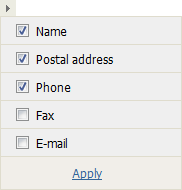
After the necessary fields have been checked in this window you should press the "Apply" button located under the list of column names.
Writing Comments to History
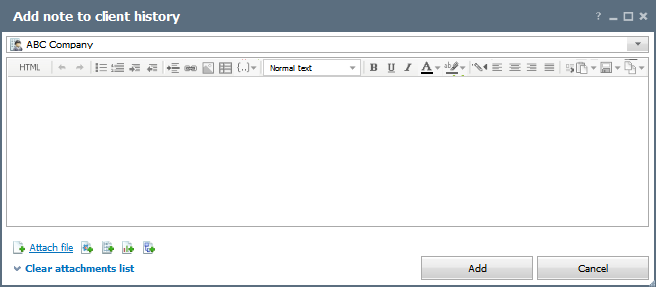
Using the  button that appears if you point the mouse cursor over a line, you can add a comment to the history of organization. The following window is opened as soon as this button is pressed:
Other Actions in the List
If you click on the e-mail address of an organization, you will pass to the creation of a new mail window of the "E-Mail" module. The address you've clicked will be automatically placed in the "To" field.
If you click on the name or logo of the organization, the view page with more information about it opens.
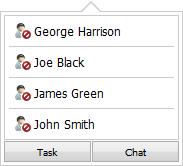
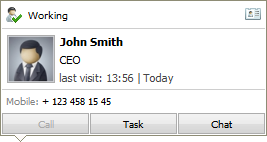
If you hold your mouse over the username marked in blue, it will show a tooltip with brief user information:
When you move the mouse cursor over a group name, the list of users included in the group appears.