
- Welcome
- TeamWox Communicator
- Diagrams
- Editor
- Templates
- User Details
- Getting Started
- Browser Settings
- Calendar
- Calls
- Charts
- Exit
- File Viewers
- Filters
- Notifications
- Certificate Installation
- Interface
- List of Assigned
- Mind Map
- Permissions
- Search
- Status
- Google Translate
- Windows
- Home
- Tasks
- Documents
- Service Desk
- Chat
- Organizations
- Contacts
- Board
- Team
- Products
- Accounting
- E-Bank
- Search
- Calendar
- Telephony
- Administration
- Projects
Templates
To shorten the time of writing different messages, the feature of creating templates is implemented in TeamWox. Templates can be used in any part of the system where the message editor is used. Templates can be shared between different users depending on the access rights to them.
Templates are bound to a module where they were created. For example, a task template cannot be used for writing mails. It makes the navigation through them easier. |
Working with templates is performed using the  command of the message editor.
Creating Template
In order to create a template, one should press the down arrow button:
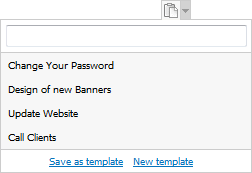
This menu contains two entries:
- Save as template — save the current text typed in the message editor as a template. The window of template settings will be opened as soon as you press it. In that window one can change the text or assign the access rights.
- New template — open the window of creating new template.
Editing Template
In order to change the settings of templates, one should open the menu of their inserting by pressing the  button, put the mouse cursor over the template and press the
  button to the right of it:
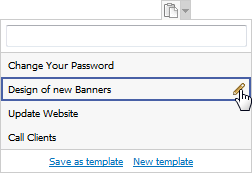
Once this button is pressed, you will go to editing of the template settings. If the  button is displayed instead of , it means that you don't have sufficient access rights for editing the template.
Applying Template
In order to use one of the created templates, one should open the menu of inserting them by pressing the button and click with the left mouse button on a necessary one:
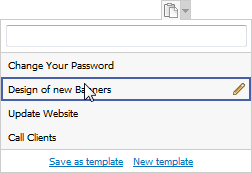
The upper part of the list of templates contains the filter line. In order to quickly find a template it is enough to type several first symbols of its name in it and press the  button or the "Enter" key.
The template text is inserted to the current cursor position in the body of the message text. At that the existing text is not deleted. |
Deleting Template
To delete a template, one should go to its editing by pressing the button. Then it is necessary to press the "Delete template" button:
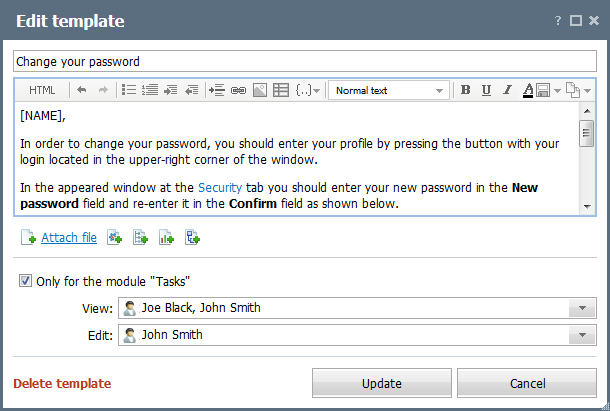
After that the system will ask you to confirm the deletion. To finally delete it, you should press the "OK" button.