
- Welcome
- TeamWox Communicator
- Diagrams
- Editor
- Templates
- User Details
- Additional Details
- Calls
- Contact Details
- My Groups
- Personal Details
- Payments
- Softphone Settings
- Security
- Sessions
- Tabs Order
- Telephony
- Sounds
- Working time
- Getting Started
- Browser Settings
- Calendar
- Calls
- Charts
- Exit
- File Viewers
- Filters
- Notifications
- Certificate Installation
- Interface
- List of Assigned
- Mind Map
- Permissions
- Search
- Status
- Google Translate
- Windows
- Home
- Tasks
- Documents
- Service Desk
- Chat
- Organizations
- Contacts
- Board
- Team
- Products
- Accounting
- E-Bank
- Search
- Calendar
- Telephony
- Administration
- Projects
Working time
This tab displays the information about working time of the employee.
The information on this page is not available for editing. The time of presence in the TeamWox groupware is calculated automatically, and the information about vacations, sick leaves, etc. is filled out by a responsible employee of the HR department using the Team module. |
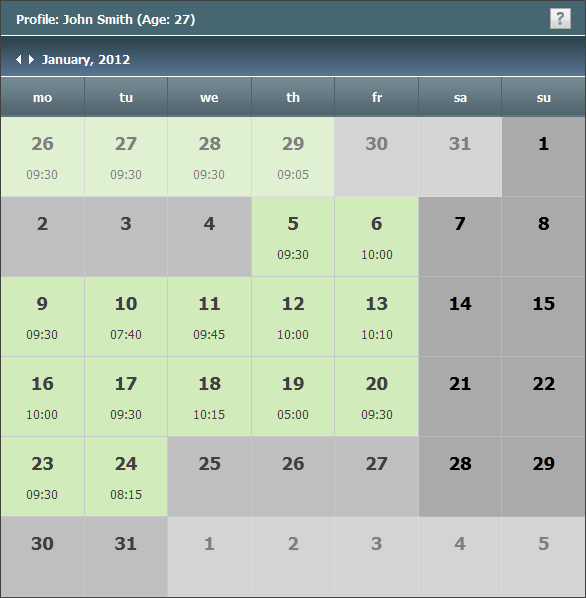
The information is displayed monthly. The necessary month can be chosen view the arrows near its name or by pressing on its name. The time of working in TeamWox is displayed under each date. Cell colors designate day types the same as it is while viewing the working time in the Team module.
To view more detailed information by a day, click on it with the left mouse button.
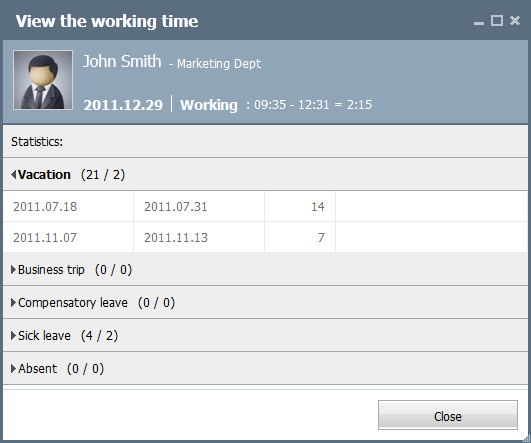
The name of the employee, his/her photo and position are specified in the top part. The information about the employee's attendance time for the current day is displayed below. Further, there is the "Statistics" box where the following information is specified:
- Vacation
- Business trip
- Compensatory leave
- Sick leave
- Absent
In order to fold or unfold one or another information section you should click with the left mouse button on the entry with its name. Each period consists of four fields: start date, end date, number of days and a comment.