
- Welcome
- TeamWox Communicator
- Diagrams
- Editor
- Templates
- User Details
- Additional Details
- Calls
- Contact Details
- My Groups
- Personal Details
- Payments
- Softphone Settings
- Security
- Sessions
- Tabs Order
- Telephony
- Sounds
- Working time
- Getting Started
- Browser Settings
- Calendar
- Calls
- Charts
- Exit
- File Viewers
- Filters
- Notifications
- Certificate Installation
- Interface
- List of Assigned
- Mind Map
- Permissions
- Search
- Status
- Google Translate
- Windows
- Home
- Tasks
- Documents
- Service Desk
- Chat
- Organizations
- Contacts
- Board
- Team
- Products
- Accounting
- E-Bank
- Search
- Calendar
- Telephony
- Administration
- Projects
My Groups
This tab displays the list of all groups the user is the member of:
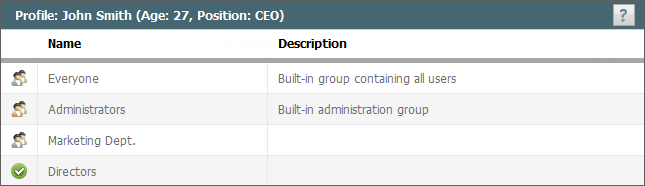
The groups that are the company departments have the  icon. Ordinary groups have the
  icon.
icon.
The icon , of a group means that the user can change the list of users included into the group. This permission can be given by the system administrator. To edit a list of members of the group, click on its name.
Editing the group members
As mentioned above, to edit group members you should click on the name of the group.
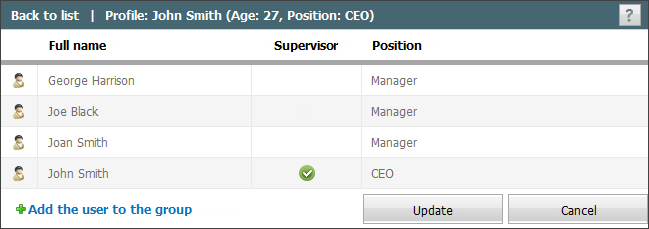
The edit page contains the list of users in the group. Members marked with iconin the "Manager" column have the right to modify the list of group members.
To remove a user from the group, click  , which appears when you hover the mouse over the user row.
To add a user to a group, click Add user to group. This will open a list of users for selection.